K-2 AI Detectives: Finding What’s Smart and What’s Not
In this engaging lesson, students explore the difference between everyday tech and artificial intelligence. With colorful slides, hands-on sorting games, and Code.org’s AI for Oceans, young learners will uncover how AI learns from examples and dream up their own “AI helpers” for the future.
Kinder - 2nd Grade
What is AI?
Notes & Preparation
Project Length: 1 class period
Instructor Note:
This lesson is designed for a single class period. Assess the level of student comprehension and adjust the pace as needed.
Code.org: Ensure you have an instructor account on Code.org and have access to the “AI for Oceans” activity.
State Standards: AL, AZ, CA, CO, IN, MA, NY, OR, SD, WA, WY I CAN Standards Sheets K-2.AP.10, K-2.AP.11, K-2.AP.15, K-2.AP.16, K-2.IC.19 ISTE Standards: 3, #4, #5 NET Standards: #1, #2, #6 Learning Objectives #1-4, #8, #9, #11, #13, #21, #25, #26, #27, #32, #37, #38, #41, #42 CS Standards:This lesson aligns with the K-2 standards for “Algorithms and Programming” and “Impact of Computing.”
Engage
Opening: Welcome students to the class. Start a discussion about computers and technology. What do you know about computers? What are some things they help us do?
Computer Introduction: Introduce the idea that computers need instructions to work. Just like we need to be told what to do, computers need to be told what to do. The instructions we give computers are called code.
Question: “Who has ever used Alexa, Siri, or Google?”
Project Description:
Today, we are going to learn about a special kind of computer intelligence called Artificial Intelligence, or AI. We will use a special program to teach a computer how to be smart and help us with a big problem!
Teacher Demonstration: Show the “AI for Oceans” activity on the main screen.
Model: Start the activity and show the images of fish and trash.
Explain: “This computer doesn’t know what trash is and what a fish is. We have to teach it! When I click on the image and tell the computer if it’s a fish or trash, I’m giving it training data.”
Discuss: “The more information we give it, the smarter it gets. This is how we are going to teach the AI.”
Learning Outcomes
Students will:
Students will be able to define AI as a form of computer intelligence.
Students will understand that data is used to train AI.
Students will gain hands-on experience with a simple machine learning model.
Activity Introduction: Guide students to their computers.
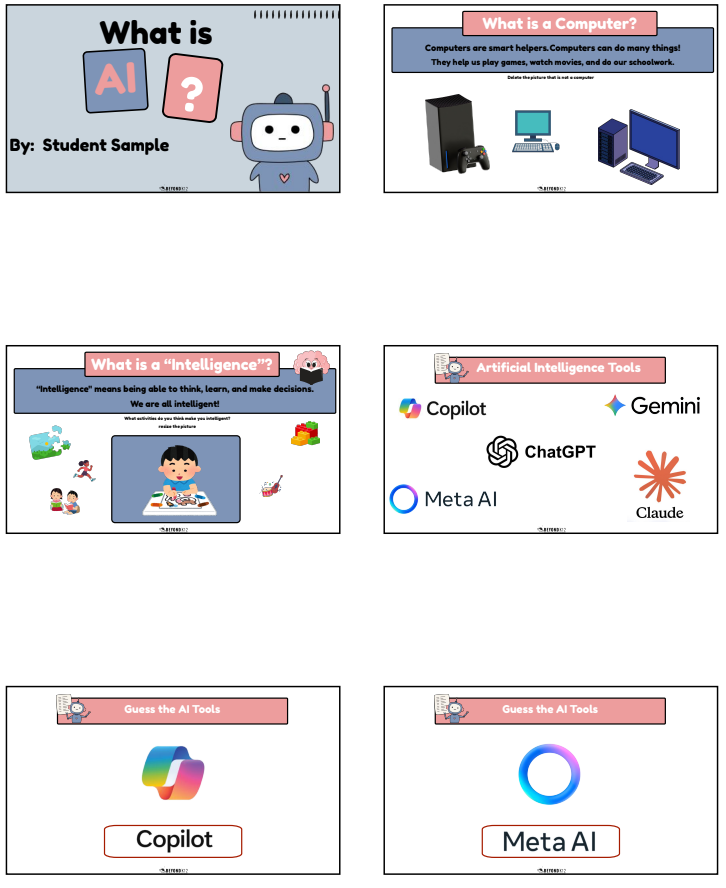
“A computer is a machine that helps people do work, play games, and learn. It follows instructions.”
Examples: Show pictures → laptop, tablet, phone.
Delete the pictures that do not belong.
Click on Slide 3: What is Intelligence?
“Intelligence means being able to learn, solve problems, and make choices.”
Examples: tying one’s shoes. The dog is learning to sit.
Student Prompt: “What is something you learned by practicing?”
Click on Slide 4: Artificial Intelligence Tools
Review the different AI tools, and ask students if any image looks familiar
Click on Slide 5: Choose the AI Tool
Students will match and label the picture with the word
Delete the picture that does not belong
Repeat Step 5 for slides 6-9
Click on Slide 10:
“AI means Artificial Intelligence. It’s when a computer is a smart helper that learns from examples.”
Examples: Smart speaker, robot vacuum.
Student Prompt: “What can AI help with?”
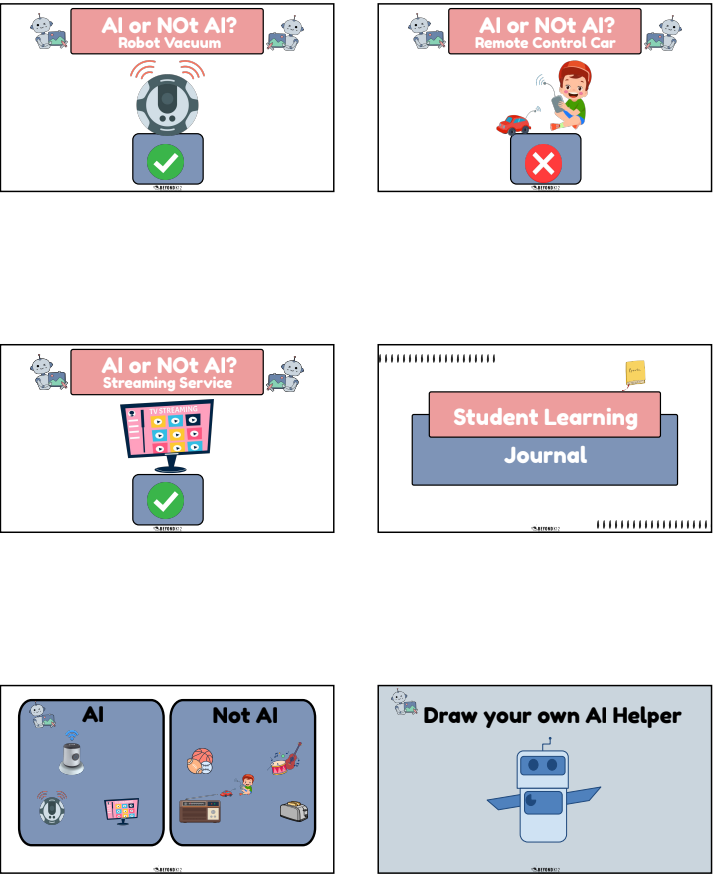
Click on Slide 11: Smart Speaker
Yes — Smart Speakers use AI to listen and talk back. They learn from many examples of voices.
Click on Slide 12: Radio
No — a radio just plays sound. It doesn’t learn or talk back.
Click on Slide 14: Robot Vacuum
Yes — it senses the floor and learns where to clean.
Click on Slide 15: Remote Control Car
No — it only moves when you control it. That’s not AI
Click on Slide 16: Streaming Service
Yes — streaming services recommend shows based on what you watch.
Student Learning Journal
Click on Slide 17:
Look at and observe the different pictures
Sort the pictures in the correct box: AI and Not AI
Click on Slide 18:
Use shapes and lines to create an AI Helper
Students will practice resizing objects
Click on Slide 19:
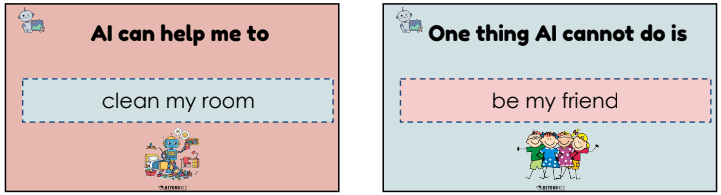
Students will complete the sentence: “AI can help me by:”
ex. AI can help me clean my room, AI can help me find my toys, AI can help me choose my clothes.
Click on Slide 20:
Students will complete the sentence: “One thing AI can not do is”
ex. AI can not be a friend, AI can not hug me.
Hour of AI
Individual/Partner Work: Have students navigate to the Code.org “AI for Oceans” activity.
Part 1: Training the AI: Have students work through the first few levels, clicking on images to classify them as “fish” or “trash.”
Part 2: Testing the AI: Once they have trained the AI, have them observe as it tries to sort items on its own.
Troubleshoot: If the AI makes a mistake, ask students why it might have happened. This reinforces the idea that an AI is only as good as the data it receives.
Evaluate
After class, note:
Did students easily distinguish AI vs. non-AI?
Were they able to imagine AI helping in the future?
Did all students complete an artifact that shows understanding?
What will I adjust next time (more sorting examples, extra visuals, pacing)?
Elaborate
For differentiated learning or early finishers, students may complete the following optional steps:
Extension Activities (for early finishers or advanced learners):
Code.org – AI for Oceans (Intro Levels): Students train an AI to sort fish, reinforcing the idea of examples and fairness.
Classroom Hunt – “AI Detectives”: Students look around the room/school to find technology that might use AI (smart board, phone, etc.) and share findings.
Future AI Poster: Students make a poster: “My AI Helper Can…” (drawing + one sentence).